Black Box Testing vs White Box Testing The Ultimate Showdown
Explore the critical differences in black box testing vs white box testing. This guide covers techniques, use cases, and how to choose the right strategy.
The fundamental difference in the black box testing vs white box testing debate all comes down to a single question: do you know what’s happening inside the application? Black box testing approaches the software from the outside in, just like a user would, with zero knowledge of the underlying code. In contrast, white box testing flips that around, diving deep into the internal code and structure to make sure everything is working as it should from the inside out.
Defining The Core Testing Philosophies
Every quality assurance strategy boils down to a core philosophy. The two most fundamental approaches, black box and white box testing, sit at opposite ends of the spectrum, defined entirely by how much the tester knows about the system’s internal architecture.
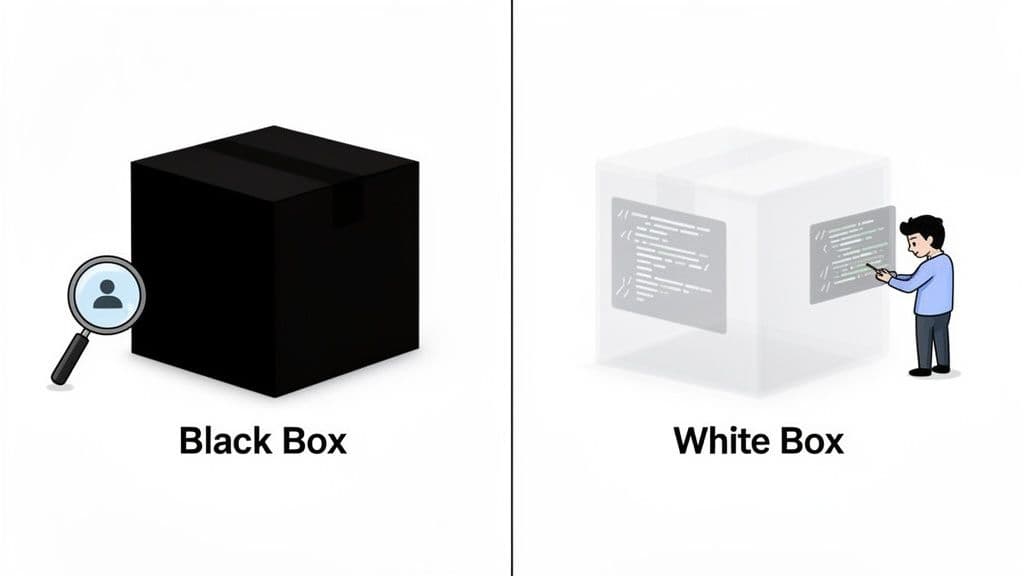
The Black Box Perspective
With black box testing, the software is treated like an sealed, opaque "box." The tester gives it inputs and checks the outputs, but has absolutely no idea what’s happening with the code, architecture, or internal logic. The focus is exclusively on what the system does, not how it does it.
This method is fantastic for simulating a real user’s experience. It’s the perfect way to validate that the application meets its functional requirements and business objectives. For an even deeper look, it's worth exploring what black box testing entails from a security standpoint.
The central question in black box testing is simple: "Does the application behave as expected for the end-user?" It’s all about functionality, usability, and hitting requirements from an outside point of view.
The White Box Perspective
On the other hand, white box testing (sometimes called clear box or structural testing) demands full access to the source code. Testers scrutinize the internal logic, data flows, and every possible code path to verify that the application operates correctly at a structural level.
This developer-centric approach is all about how the system works. It’s critical for optimizing code, sniffing out hidden security flaws, and confirming algorithmic efficiency. While black box testing is concerned with user-facing results, white box testing ensures the foundation is rock-solid. This kind of duality often mirrors the conversation around https://monito.dev/blog/manual-testing-vs-automation, where each method plays a distinct and vital role.
To get a quick sense of how they stack up, here's a high-level comparison.
Black Box vs White Box Testing At a Glance
| Attribute | Black Box Testing | White Box Testing |
|---|---|---|
| Required Knowledge | None. The internal code is irrelevant. | Deep knowledge of code and architecture. |
| Primary Focus | External system functionality and behavior. | Internal code structure and logic. |
| Tester's Role | Simulates an end-user or external attacker. | Acts as a developer or code auditor. |
| Main Goal | Validate user requirements and find functional bugs. | Verify code quality and find structural flaws. |
As you can see, these two methods aren't just different—they're complete opposites in their approach, goals, and prerequisites.
A Nuanced Comparison of Testing Methodologies
Knowing the basic definitions of black box and white box testing is one thing, but the real insights come from a side-by-side comparison. This is where you move past theory and get into the practical trade-offs your team will face. Each approach offers a unique perspective, demands a different skillset, and, most importantly, uncovers completely different kinds of bugs.
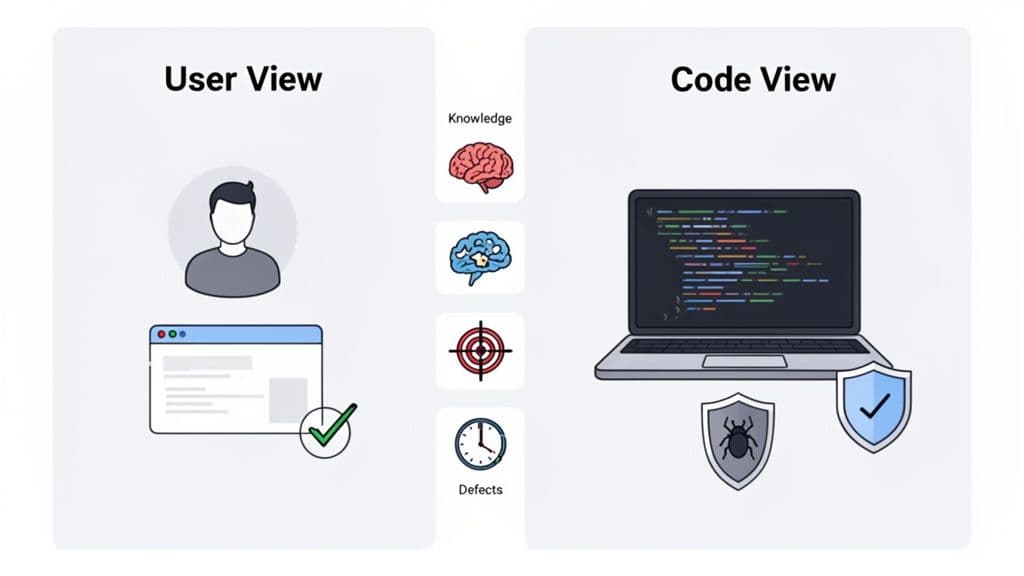
Let's break down how these two stack up across four critical areas to help you decide which path makes sense for your project.
Knowledge and Skillset Requirements
The most obvious difference between the two is who can actually perform the tests. Black box testing is designed to be done without any knowledge of the underlying code. A tester just needs to understand what the software should do and have a good sense of how a user would interact with it. This makes it a great fit for QA analysts, product managers, or even users participating in acceptance testing.
On the other hand, white box testing is a developer's game. It requires a deep understanding of the code. Testers need to be fluent in the application's programming language, familiar with its architecture, and skilled enough to trace logic through complex functions to spot weaknesses. This work almost always falls to software developers and specialized security engineers.
Black box testing is your go-to for answering "Does it work for the user?" while white box testing is essential for answering "Is the code built correctly and securely?"
Perspective and Scope of Analysis
Each method looks at the software from a completely different angle. Black box testing is all about the end-user perspective. It focuses exclusively on what the user sees and experiences—the inputs and the outputs. Its scope is to confirm that the user interface (UI) and user experience (UX) behave as expected and that the software delivers on its business requirements from the outside.
White box testing couldn't be more different. It dives deep into internal code integrity. Here, the scope is the codebase itself. Testers scrutinize individual functions, data flows, and logical pathways to ensure the internal structure is solid, secure, and efficient. It’s about verifying the quality of the craftsmanship, regardless of how it looks on the surface.
Resource Investment and Timeline
The investment in time and money also varies dramatically. Black box testing is generally the faster and cheaper option. Since there's no need to pore over source code, test cases can be created and run relatively quickly by testers who don't command a developer's salary.
White box testing is a much bigger commitment. It requires significant time from highly skilled—and expensive—developers to write and maintain detailed test suites. The process is exhaustive by nature and can easily add weeks to a development cycle. For a mid-sized web app with sensitive data, a white-box penetration test might take two to four weeks, whereas a black-box equivalent could be wrapped up in just a few days. You can learn more about these timeline differences in various penetration testing approaches.
Types of Defects Detected
Ultimately, the type of testing you choose dictates the kinds of bugs you'll find. Each approach is built to catch a different class of problems.
Black box testing excels at finding:
- UI and UX flaws: Think broken layouts, confusing navigation, or buttons that don’t do anything.
- Requirement gaps: These are instances where the software simply fails to do what the business specifications said it should.
- Functional errors: This could be anything from incorrect calculations in a shopping cart to a user workflow that hits a dead end.
White box testing is critical for detecting:
- Security vulnerabilities: It’s the only way to find hidden threats like SQL injection or cross-site scripting (XSS) buried in the code.
- Logic errors: These are flawed algorithms or "if/then" statements that might not cause an obvious bug but lead to incorrect data processing under specific conditions.
- Performance bottlenecks: Inefficient code or poor architectural choices that slow the application down are often only visible from the inside.
Understanding these core distinctions is the first step in building a smart testing strategy that applies the right tool for the right job.
Practical Techniques for Each Testing Approach
Talking about testing philosophies is one thing, but the real work happens on the ground with specific, actionable techniques. Both black box and white box testing have their own distinct toolkits, each designed to systematically root out different kinds of bugs.
When you understand these techniques, the whole process becomes much clearer. You're no longer dealing with abstract ideas but with concrete test cases and strategies. Let's dig into some of the most effective techniques for each approach.
Common Black Box Testing Techniques
Black box methods are all about inputs and outputs. The tester doesn't need to know—or care—how the code works under the hood. The entire focus is on testing the application's behavior from a user's perspective.
-
Equivalence Partitioning: This is a smart way to reduce the number of test cases you need to run. You divide input data into logical groups, or "partitions," assuming that all inputs in a group will behave identically. For a password field that requires 8-16 characters, you’d create three partitions: less than 8 characters (invalid), 8 to 16 characters (valid), and more than 16 (invalid). You only need to test one value from each group.
-
Boundary Value Analysis (BVA): This technique goes hand-in-hand with equivalence partitioning. Experience tells us that bugs love to hide at the "edges" or boundaries of these input partitions. For that same 8-16 character password field, BVA means you'd specifically test inputs with 7, 8, 16, and 17 characters to see how the system handles those edge cases.
-
State Transition Testing: This is perfect for systems that have a clear workflow or change behavior based on their current state, like an e-commerce checkout. A tester maps out every possible state (e.g., empty cart, item added, payment pending, order complete) and the actions that trigger a move from one state to another. This ensures the application behaves correctly no matter what sequence of events a user triggers.
Common White Box Testing Techniques
White box testing is the polar opposite—it requires full access to the source code. The goal here is to measure how much of your code is actually being executed by your tests.
White box testing is less about what the application does and more about ensuring that every line of code has been checked for logical errors, security flaws, and performance issues. It’s about verifying the internal craftsmanship.
Statement Coverage The most straightforward form of white box testing is statement coverage. The objective is simple: make sure every single line of executable code is run at least once by your tests. While it's great for spotting dead code that's never used, it doesn't guarantee you've tested all the logical possibilities.
Branch Coverage
This is a step up. Branch coverage ensures that every possible branch from a decision point, like an if-else block, is tested. If you have a conditional statement, you need at least two tests: one for when the condition is true, and one for when it's false. This approach catches bugs that statement coverage can easily miss by validating both sides of the logic.
Path Coverage For those who need maximum confidence, there's path coverage. This is the most exhaustive—and often complex—technique, as it aims to test every possible route a user's action could take through the code. The number of paths can grow exponentially even in simple functions, which is why achieving 100% path coverage often isn't practical. Instead, teams typically focus on testing the most critical or high-risk paths. Mastering these methods is fundamental to building robust automated testing best practices that lead to high-quality code.
Below is a table that summarizes some of these techniques and where they shine.
Common Testing Techniques and Their Applications
| Technique | Methodology | Primary Use Case Example |
|---|---|---|
| Equivalence Partitioning | Black Box | Testing an age input field by checking one value from each partition: under 18 (invalid), 18-65 (valid), and over 65 (valid). |
| Boundary Value Analysis | Black Box | Testing a discount code field that is valid for the first 100 users by checking user numbers 0, 1, 100, and 101. |
| State Transition Testing | Black Box | Verifying that a user cannot proceed to a "shipping" page from their cart until they have logged in or provided an address. |
| Statement Coverage | White Box | Writing unit tests to ensure every line in a payment processing function is executed, uncovering unused legacy code. |
| Branch Coverage | White Box | Testing an if (userIsAdmin) check by running tests where the user is an admin and where they are not. |
| Path Coverage | White Box | For a critical security function, mapping and testing every possible combination of logic to prevent unauthorized access. |
Each technique provides a different lens through which to view your application's quality, giving you a more complete picture of its stability and correctness.
Choosing the Right Testing Strategy for Your Project
Deciding between black box and white box testing isn’t about crowning a winner; it's about picking the right tool for the job at hand. This choice directly shapes how you allocate resources, how efficiently you find bugs, and ultimately, the quality of your final product. The real skill is matching the testing methodology to your project's specific stage, goals, and constraints.
A great way to approach this is by asking one simple question: is my primary focus on user functionality or internal code structure? This decision tree lays out the two paths clearly.
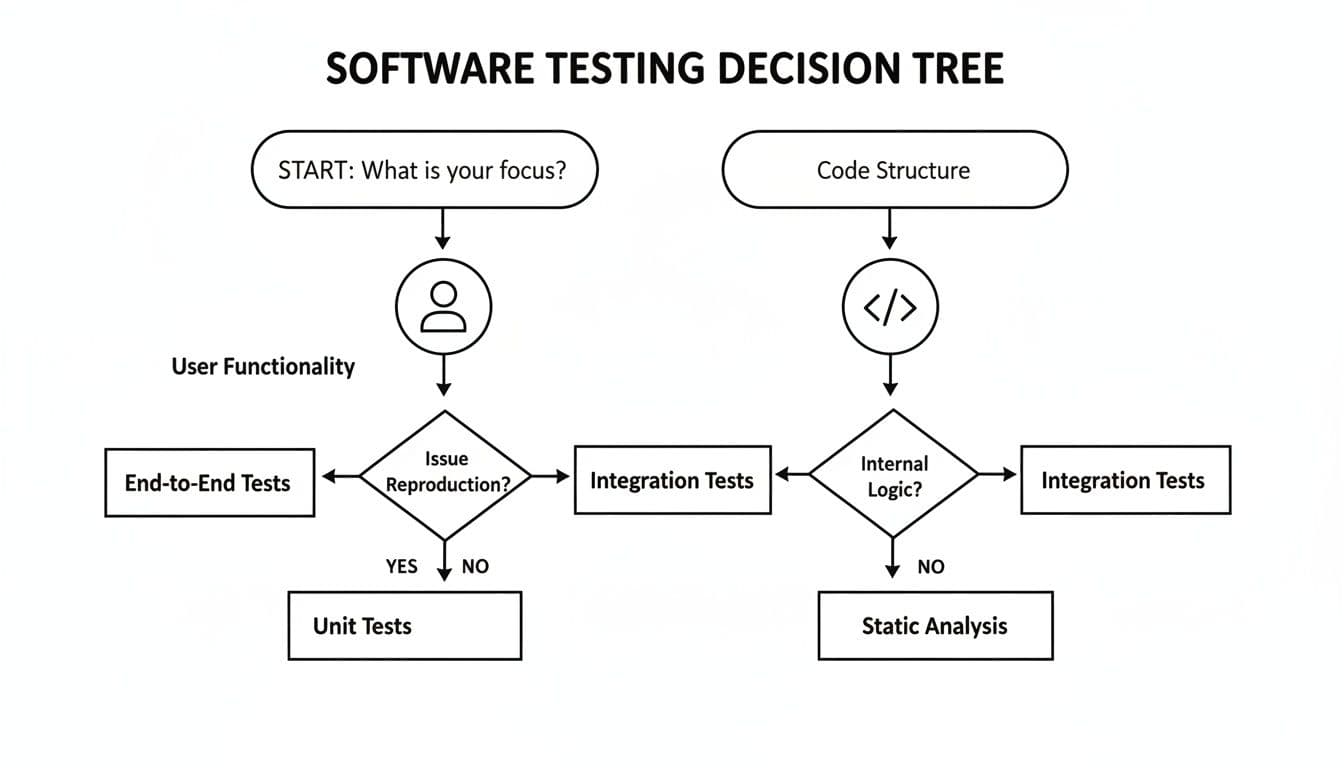
As the chart shows, if validating the user experience is your priority, black box methods are your logical starting point. But if you’re laser-focused on code integrity, the path immediately points toward white box techniques.
When to Prioritize Black Box Testing
Black box testing really shines when you need an external, user-centric perspective. Its power lies in validating the complete, assembled application without the bias of knowing what’s going on under the hood. This makes it the go-to choice in a few key situations.
Key Scenarios for Black Box Testing:
- User Acceptance Testing (UAT): This is the final checkpoint before you go live. Black box testing is perfect here because it mimics real-world user behavior, ensuring the software truly meets business needs and delivers a good experience.
- Third-Party Integrations: When you're working with an external API or service, you can't see their source code. Black box testing becomes the only way to confirm that the integration works as expected from your end.
- High-Level Regression Testing: After shipping a new feature, you need to know—fast—if you broke anything. Automated black box tests can blast through critical user workflows and catch major regressions quickly.
For large-scale applications, black box testing often delivers a better bang for your buck in terms of speed and cost. Since it doesn’t require deep programming knowledge, you can get high-level reports delivered faster. This makes it ideal for UAT, where simulating business scenarios is what matters most. You can find more on this in a detailed comparison of testing methods.
When White Box Testing Is Non-Negotiable
White box testing is absolutely essential when your focus shifts from what the system does to how it does it. It gives you a level of depth that black box testing simply can't touch, making it indispensable for ensuring code quality, security, and performance.
Key Scenarios for White Box Testing:
- Unit Testing: This is a developer's first line of defense. They use white box techniques to test the individual functions or components they’ve just written, catching bugs early when they're cheapest to fix.
- Security Audits: To find deep-seated vulnerabilities like SQL injection or insecure data handling, you must analyze the source code. White box security reviews are critical for any application handling sensitive information.
- Algorithm and Performance Optimization: Need to make sure a complex algorithm is efficient or pinpoint a performance bottleneck? White box testing is the only way to analyze the code’s internal logic and execution paths.
The decision isn't always black or white. The most robust testing strategies often blend both approaches, using one to compensate for the other's weaknesses and create a much more comprehensive quality safety net.
Introducing Gray Box Testing: A Hybrid Approach
Often, the most effective strategy isn’t a strict either/or choice but a pragmatic blend of both. This is where gray box testing comes in—a hybrid model where the tester has partial knowledge of the system's internal workings. For instance, a QA engineer might know the database schema or understand the high-level architecture without ever seeing the source code.
This partial knowledge leads to much smarter test case design. A tester can create more targeted inputs because they have some idea of how the system processes data, which makes the whole process more efficient and effective. Gray box testing essentially combines the user-focused approach of black box with the code-aware insights of white box, offering a powerful middle ground.
Evaluating the Strengths and Weaknesses
There's no single "best" testing method. The real skill lies in knowing the specific strengths and weaknesses of each approach and when to apply them. The whole black box vs white box testing debate isn't about picking a winner; it's about choosing the right tool for the job.
Black box testing shines because of its unbiased, user-centric perspective. Testers approach the software with fresh eyes, completely uninfluenced by how the code is structured. They interact with it just like a customer would, which is fantastic for finding usability issues and disconnects between business goals and what the application actually does. Plus, since you don't need to be a developer to do it, QA analysts and even product managers can jump in, making it faster to get started.
But that "outside-in" view is also its biggest drawback. Because testers can't see the internal workings, their coverage can be deceptively shallow. They might click through every expected user journey and give it a thumbs-up, while completely missing redundant code, dead-end logic paths, or critical security flaws buried deep inside the system.
The Trade-Offs of Inner Knowledge
White box testing is the polar opposite. Its superpower is its thoroughness. When you have the source code in front of you, you can trace every single logical path, check every condition, and ensure comprehensive code coverage. This is absolutely critical for hunting down deep-seated security vulnerabilities, performance bottlenecks, and tricky logic bugs that are invisible from the user interface.
The core trade-off is clear: Black box testing prioritizes functional correctness from a user’s view, while white box testing prioritizes structural integrity from a developer’s view. One validates the "what," the other verifies the "how."
Of course, that level of detail has its price. White box testing is much more time-consuming and expensive. It demands skilled developers to write and maintain intricate test suites. There's also the subtle risk of developer bias—the person who wrote the code might have the same blind spots when writing the tests, causing them to overlook their own mistakes. These are all critical things to consider when building out your team's regression testing best practices.
Interestingly, the common assumption that white box testing is vastly superior for catching bugs isn't always true. A 2016 study revealed that the difference in fault detection rates between the two methods was minimal, with a maximum variance of only 4%. This really questions the idea that you must have internal code knowledge to test effectively. You can read the full research about these findings for the details.
Ultimately, understanding these trade-offs is what lets you build a smart, balanced testing strategy that uses the right method for the right goal, making sure both your user experience and your code quality are solid.
FAQs: Putting Testing Theory Into Practice
After breaking down the differences between black box and white box testing, you're probably wondering how these ideas apply in the real world. Let's tackle some of the most common questions that come up when teams start building out their testing strategy.
Can You Mix Black Box and White Box Testing?
Not only can you, but you absolutely should. This powerful hybrid approach is called Gray Box Testing, and it often delivers the best of both worlds.
Imagine a QA tester, using a black box approach, discovers a strange bug in a checkout form—they only know what went wrong. The developer can then step in, using white box techniques to inspect the code and pinpoint exactly why it failed.
Gray Box Testing connects the dots. It marries the user's external experience (the "what") with the internal code logic (the "how"), creating a far more effective process for hunting down bugs that might otherwise slip through the cracks.
Which Is Better for a Security Audit?
For a truly solid security posture, you need both. Each one targets different—but equally critical—threats, so think of them as complementary rather than competing methods. A comprehensive audit will always use a combination.
-
Black Box Penetration Testing is like hiring a professional to try and break in from the outside. It mimics a real-world attacker with no internal knowledge, making it perfect for finding vulnerabilities in your public-facing defenses.
-
White Box Security Testing (often called static code analysis) is more like an internal security review. A tester with full access to the source code can find hidden vulnerabilities—like insecure data storage or flawed business logic—that are completely invisible from the outside.
Can Both Testing Methods Be Automated?
Yes, and automation is key to making both approaches work at scale. While the goal—efficiency and repeatability—is the same, the tools you'll use are quite different because they operate from opposite perspectives.
For black box test automation, you'll likely turn to tools like Selenium or Cypress for simulating user interactions on the UI, or Postman for API testing. These tools focus on validating the application's external behavior.
On the other hand, white box test automation usually involves unit testing frameworks like Jest or JUnit. Here, developers are writing code to test other pieces of code, verifying that individual functions and internal components are working exactly as expected.
Regardless of how you find a bug, the next step is always clear reporting. Describe the failing flow to Monito and run it in a real browser. Its report includes captured actions, console logs, and network requests so your team has evidence to investigate. Streamline your bug reporting today.